Call scrubbing: the two things it means
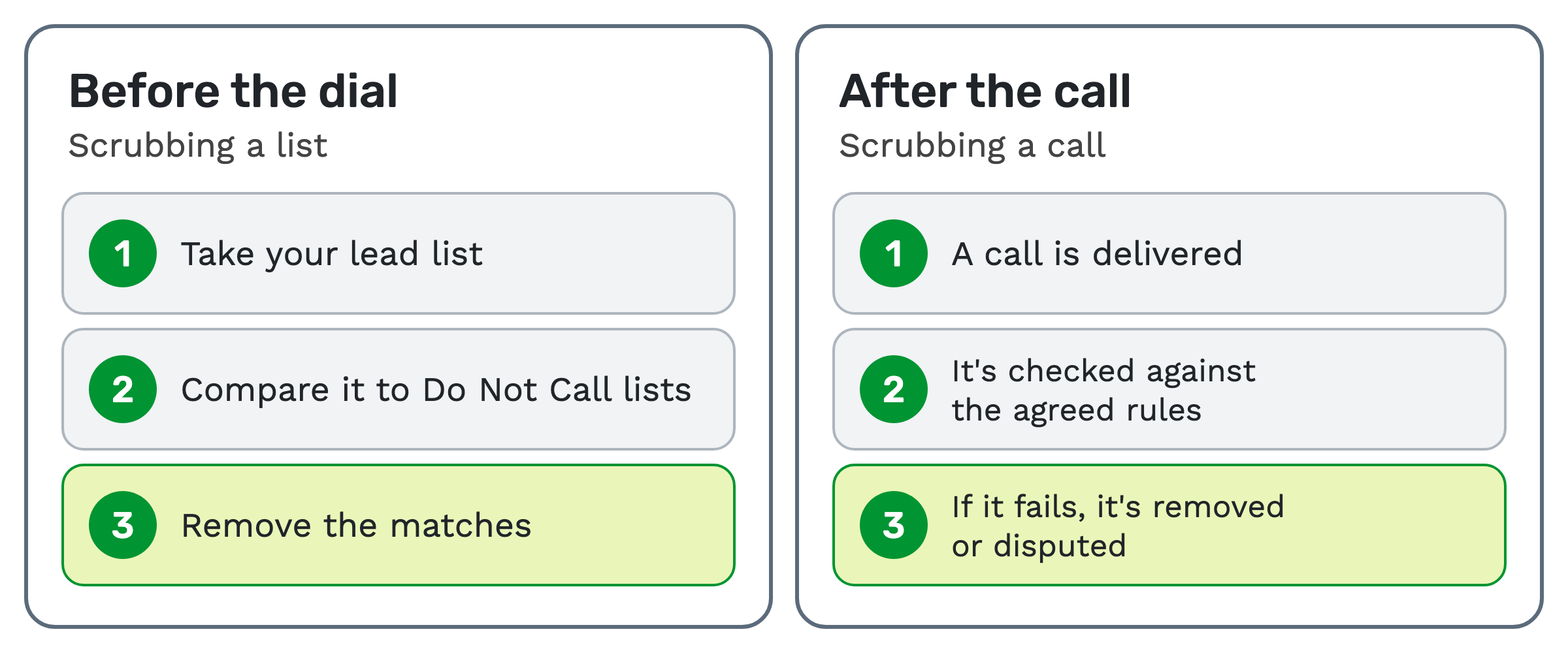
Call scrubbing means one of two things, depending on when it happens. Before a dial, it's removing numbers on Do Not Call lists from your lead list. After a call, it's removing or disputing a call that fails the agreed rules.
The first meaning is about who you're allowed to call. The second is about which calls get paid for. This article is general education, not legal advice.
Meaning one: scrubbing a list before the dial
DNC scrubbing is checking a lead list against Do Not Call lists. DNC stands for Do Not Call, and a lead is a person's record you plan to contact.
It takes three steps. Take your lead list, compare it to Do Not Call lists, and remove the matches.
A do not call scrub list is the set of numbers you compare against. It usually draws on three sources:
- The national registry. The National Do Not Call Registry is the Federal Trade Commission's list of people who don't want telemarketing calls.
- State lists. Some states keep their own do-not-call lists.
- Your own list. These are the people who told your company to stop calling them.
Timing matters. The FTC's Telemarketing Sales Rule gives a safe harbor, a legal protection for calls made by error, when several conditions are met.
One condition is using a version of the registry obtained no more than 31 days before the call (16 CFR 310.4(b)(3)(iv)). So a scrub done once goes stale.
The same rule has exceptions, such as a person's written agreement to be called. Scrubbing also doesn't replace consent. Outbound dialing has its own consent rules under the TCPA, a US law on telemarketing calls and texts, plus state rules and calling-hour limits.
What TrackDrive doesn't do, and what it does
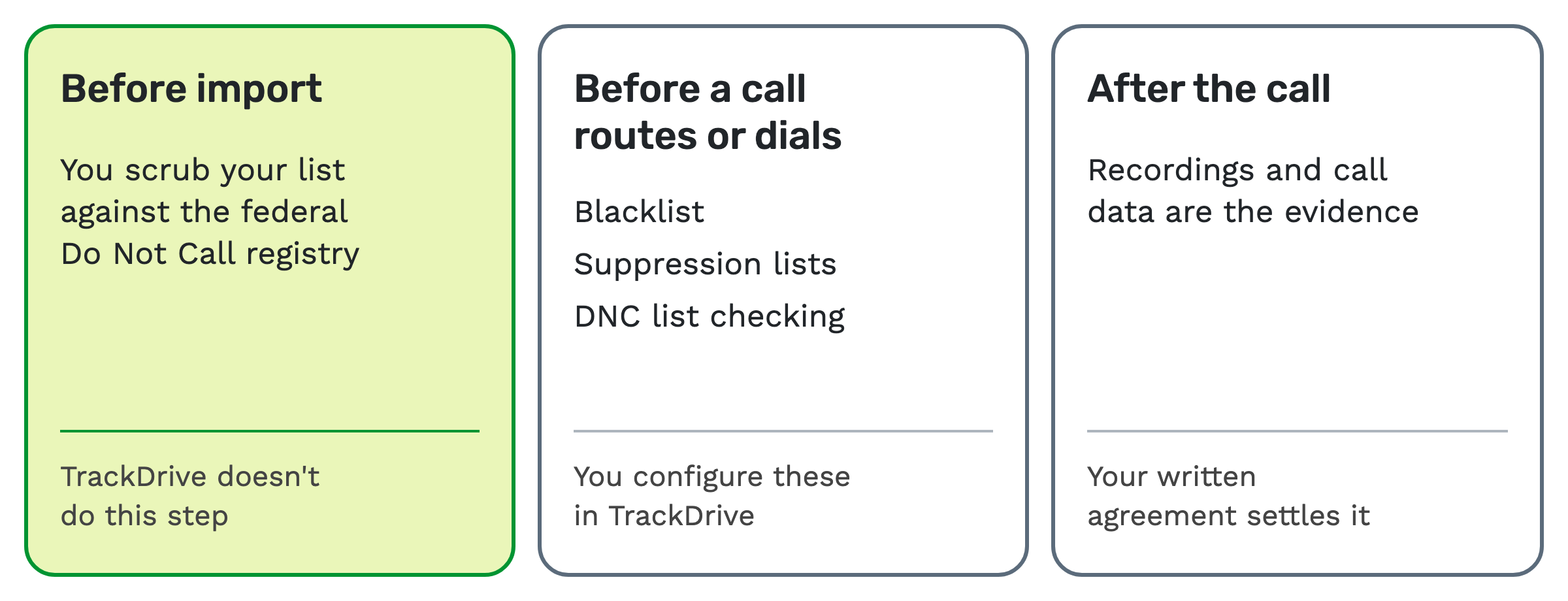
Start with the limit. TrackDrive doesn't pre-check your leads against the federal Do Not Call registry; scrub your lists before import.
TrackDrive's outbound dialing guide also says the responsibility for consent "rests with the company sending the calls".
What TrackDrive does have is a set of suppression and DNC controls that run later, before a call routes or dials. These tools "do not, on their own, guarantee compliance". The same page says you are solely responsible for configuring them and for following the law.
DNC list checking isn't a list scrub
TrackDrive's feature page lists "DNC list checking". It says the check looks at "caller numbers against Do-Not-Call data before routing or placing outbound dials".
So it works on one number, at the moment of a call. A list scrub works on your whole list, before import. TrackDrive's guide still says to scrub your lists before import.
It also depends on your settings. The Do Not Call flags article names some of the cases. They include inbound calls on offers with the DNC block enabled, and outbound dials from schedules with DNC checking enabled.
A schedule is an automated sequence of contact attempts for a lead. Its outbound call settings include Skip DNC Numbers.
TrackDrive's suppression page says its checks on outbound calls fail closed. If a lookup can't be completed, the number is treated as blocked.
The same page also lists real-time checks against shared industry lists, which run once you connect that integration and turn it on. Ping-post is where buyers bid on a call before it connects. There, a ping is DNC checked only when the offer has DNC rejection turned on. It's off by default.
Call suppression: blacklist or suppression list
Call suppression means blocking a number from being called, or from reaching a given buyer. TrackDrive has two tools for it, and they work at different scopes.
A blacklist is company-wide. A number on it won't be dialed by any schedule, won't be matched to any offer, and is blocked from inbound calls on offers with blacklist rejection turned on.
An offer is the campaign a call belongs to. You can add a number to the blacklist from a call's detail page, by API or by bulk upload.
A suppression list is a named list of numbers attached to specific offers, schedules or buyers. The number stays contactable for everything else.
| You want to say | Use |
|---|---|
| Never contact this number again, for anyone in the company | Blacklist |
| Don't send this number to Buyer A, but Buyer B is fine | Suppression list on Buyer A |
| This offer has a do-not-call list from the advertiser | Suppression list on that offer |
| This schedule should skip a group of numbers | Suppression list on that schedule |
When a suppressed caller reaches a buyer's turn, the buyer is skipped and the skip is noted in the call log. The call moves to the next eligible buyer, and the caller hears nothing different.
Numbers can get onto a suppression list by CSV upload or by API. A disposition is the recorded outcome of a call. It can also be configured to add the caller to the suppression list of the lead's schedule. Each entry records when it was added, by whom and from which IP address.
One setting that shares the word
TrackDrive's lead import has a setting called Scrub Import. Don't mistake it for a Do Not Call scrub.
It excludes leads you've already touched, across your company or within the import offer. Optional checkboxes exclude leads where a buyer was dialed, connected or converted, or leads that opted out. You can also exclude specific past dispositions.
Meaning two: scrubbing a call after it happens
In pay per call, a scrub is removing or disputing a call that fails the agreed rules. Pay per call is a model where a buyer pays for each qualified phone call.
A publisher, the party that sends the calls, delivers a call to a buyer, the business that receives it. It's checked against the agreed rules. If it fails, it's removed or disputed, and that call isn't paid.
As an example, a buyer who finds a call came from a state outside the agreement can scrub it. Other common grounds are the ones your agreement names, such as:
- The call came outside the agreed hours.
- The call didn't last the billable duration, the time a call must run to count.
- The same caller already called within the agreed window.
- The caller didn't meet the agreed qualifications.
Buyer caps and concurrency covers the limits on how many calls a buyer takes. Bad calls and fraud in pay per call covers the wider problem.
How to handle a scrub fairly
A scrub is a money conversation, so it goes better in a set order:
- Contain it. If the agreement allows, pause or cap the source while you look.
- Gather the facts. Pull logs by sub ID, recordings and the reasons for any rejections. A sub ID is a label for one source within a publisher's traffic.
- Ask in writing. Request an explanation, with a date for a reply.
- Decide. Was it an honest mistake, careless practice or a deliberate violation?
- Write it down. Record what you found and what you decided.
Agree the terms before the first call. Your written agreement should say what counts as a qualified call and how scrubs are handled. It should also set the dispute window, how long a buyer has to dispute a call after it happens.
Where TrackDrive fits after the call
Recordings and call data are the evidence, and your written agreement settles it. TrackDrive tracks earnings; it never pays anyone out.
Two features give you something specific to point at:
- Recordings. TrackDrive can capture each side of the call separately: the agent leg, the buyer leg and the full call. You can review just the segment a dispute is about. See call recording.
- Scores. AI call scoring is an add-on to transcription. It's billed only on transcribed minutes, for the offers you turn it on for. A call gets a 0 to 100 score whenever a question applies, with the moment in the call behind each answer. See what is a call quality score.
Questions people ask
What is call scrubbing in a call center? Usually it means DNC scrubbing: removing numbers on Do Not Call lists before anyone dials them.
What does a scrub mean in pay per call? A call that failed the agreed rules and was removed or disputed.
Does TrackDrive scrub my list against the federal registry? No. TrackDrive doesn't pre-check your leads against the federal Do Not Call registry; scrub your lists before import.
Do TrackDrive's suppression tools make me compliant? No. They help you run your program, but they "do not, on their own, guarantee compliance". This is general education, not legal advice, so ask your own lawyer about your campaigns.
What's the difference between a blacklist and a suppression list? A blacklist covers your whole company, though blocking inbound calls needs blacklist rejection turned on for the offer. A suppression list blocks it only for the offers, schedules or buyers you attach it to.
What does it cost? The pricing page has no separate line for suppression lists or DNC checks. There's no onboarding fee.
See it in action
Request a demo for a live walkthrough tailored to your use case, or start free, with no credit card and no onboarding fee.